Image models like Gemini and GPT can edit photos from a text prompt, so it's fair to ask whether "remove the background" still needs a dedicated tool. We tested it: the same 50 photos and the same request, sent to five engines on November 12, 2026.
- Cutout Labs: our background remover, through the Cutout Labs API.
- Gemini: Gemini 2.5 Flash Image and Gemini 3.1 Flash Image (Nano Banana 2), through the Gemini API.
- GPT:
gpt-image-2.5-flareandgpt-image-2.5-sunburst, through the Azure OpenAI images edit endpoint.
We make Cutout Labs, so we've shown the photos it got wrong alongside the ones it got right, and published every input and output on GitHub.
Results at a glance
| Cutout Labs | Gemini 2.5 Flash Image | Gemini 3.1 Flash Image | gpt-image-2.5-flare | gpt-image-2.5-sunburst | |
|---|---|---|---|---|---|
| Real transparent background | 50 of 50 | 0 of 50 | 0 of 50 | 50 of 50 | 50 of 50 |
| Output size (our inputs: 2048 px long side) | Same as input | About 1 MP | About 1 MP | About 1.6 MP | About 1.6 MP |
| Kept the photo's aspect ratio | 50 of 50 | 43 of 50 | 50 of 50 | 50 of 50 | 35 of 50 |
| Subject pixels close to the original¹ | 100% | 63% | 87% | 44% | 43% |
| Median time per image | 5.2 s | 11.4 s | 11.6 s | 30.2 s | 37.0 s |
| Price per 1,000 images² | Free* | $39 | $68 | $46 | $50 |
¹ Median share of the subject's pixels within 20 levels (out of 255) of the original photo. Photos that can't be compared are left out: the one where the Cutout Labs cutout was almost empty and, for Gemini 2.5, 7 photos it reframed. See "How we tested" for how outputs at different sizes and framings were compared.
² Published list prices on November 12, 2026; see the cost section.
* Free for now. Paid plans will come later.
Three findings matter most:
- The Gemini models never returned transparency. Gemini 3.1 Flash Image only outputs JPEG, so it can't. Both models usually painted a gray-and-white checkerboard into the image instead.
- The GPT models did return transparency, but by redrawing the product. The results look clean, but labels, lighting, framing, and hidden parts of the product were regenerated, and some details changed.
- Cutout Labs was the fastest, it's free for now, and it was the only tool that kept the photo's own pixels. It also failed outright on some busy and hand-held photos, which we show below.
The test set
We chose 50 real photographs from Unsplash, all under the Unsplash License, using fixed search queries and written rules set before any engine ran. We excluded renders, mockups, AI-generated images, and photos we'd used in earlier tests. Each photo was scaled to a 2048-pixel long side.
| Category | Photos | Examples |
|---|---|---|
| Ordinary products | 10 | Sneakers, headphones, watches, backpacks, skincare bottles |
| Pale products on pale backgrounds | 8 | White vases, candles, folded t-shirts, earbuds |
| Handles, holes, and thin parts | 8 | Mugs, bicycles, stacked chairs, scissors |
| Glass and reflective items | 8 | Perfume bottles, wine glasses, glass jars, sunglasses |
| Fur, hair, and plants | 8 | Dogs, cats, curly hair, potted plants |
| Busy scenes and hands | 8 | Hands holding products, toasts, tables of food, store shelves |
Before running anything, we wrote down the intended subject of each photo, such as "the spray bottle" or "the white textured vase". Every generative model got the same prompt built from it:
Isolate {subject} on a clean transparent background.
The GPT models were also sent background=transparent, the API's documented option for a transparent PNG. The Gemini API has no equivalent option.
1. Gemini painted the transparency in
Both Gemini models returned opaque images every time. Instead of transparent pixels, they usually drew the checkerboard pattern that image editors use to display transparency:
| Gemini model | Painted checkerboard | Solid white | Other opaque background |
|---|---|---|---|
| Gemini 2.5 Flash Image | 37 | 7 | 6 |
| Gemini 3.1 Flash Image | 48 | 0 | 2 |
The difference shows as soon as you place the result on a colored background:
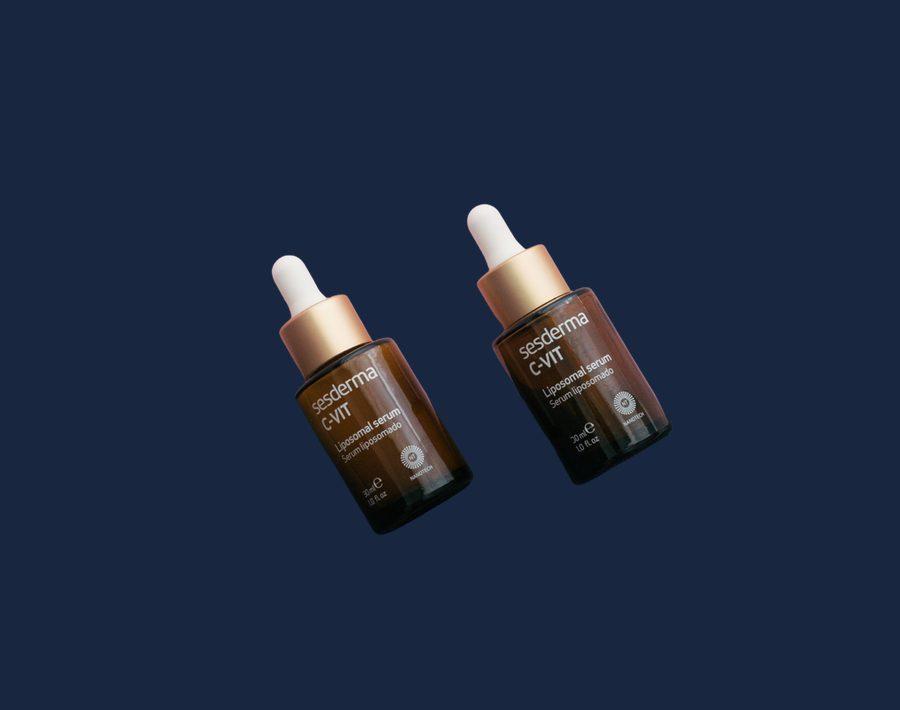
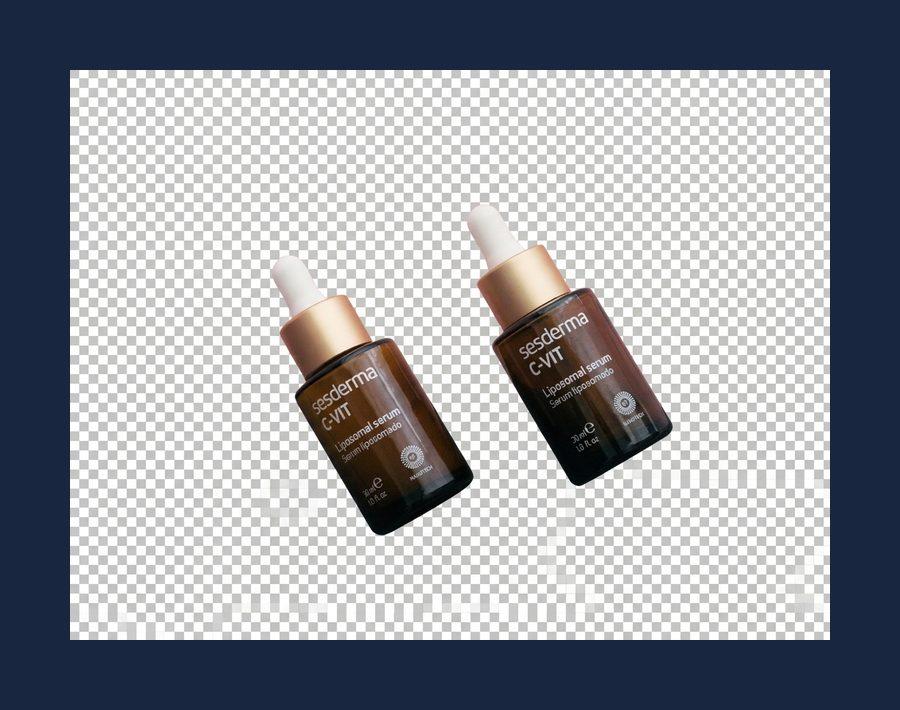
To use a Gemini result on anything other than white, you'd need to remove its painted background, which brings you back to a background remover. On the positive side, Gemini 3.1 kept the products and their labels recognizable, and its subject pixels stayed closest to the original among the generative models (87%), though at about 1 megapixel.
2. GPT returned real transparency by redrawing the product
Both GPT models returned real alpha channels on all 50 images, and the results look polished: even lighting, sharp edges, studio-style finish. That finish is the problem. The model doesn't select the product's pixels; it paints a new image of it.
Here is the same spray bottle from each engine:
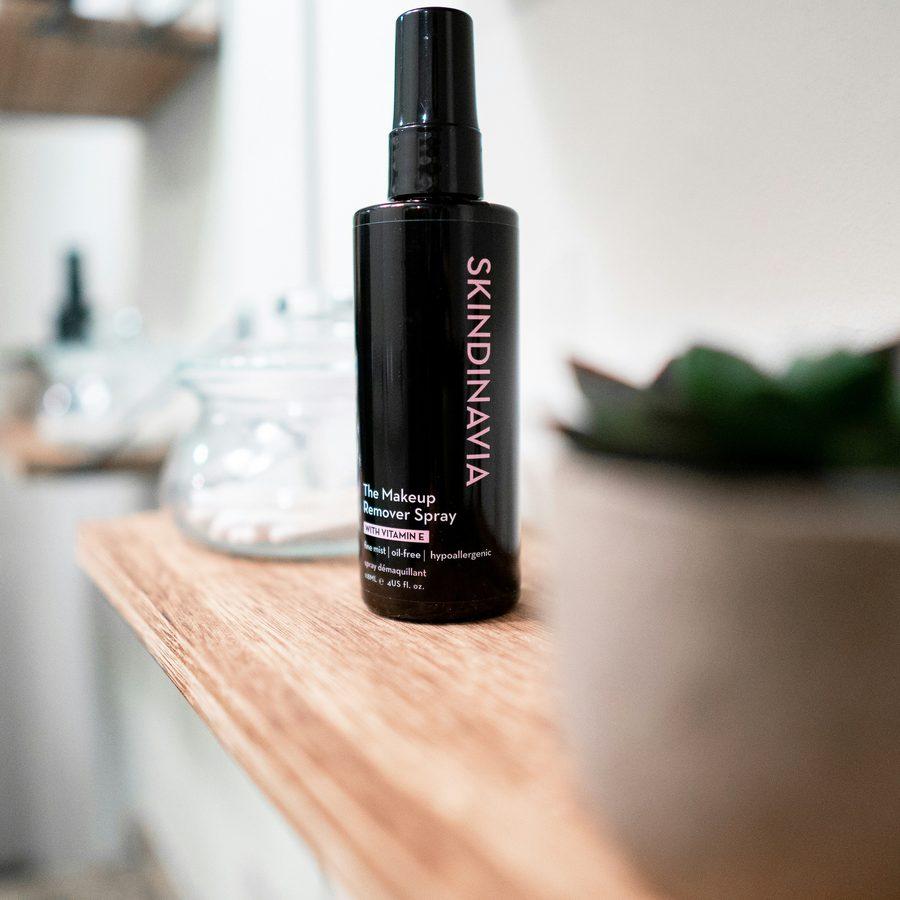
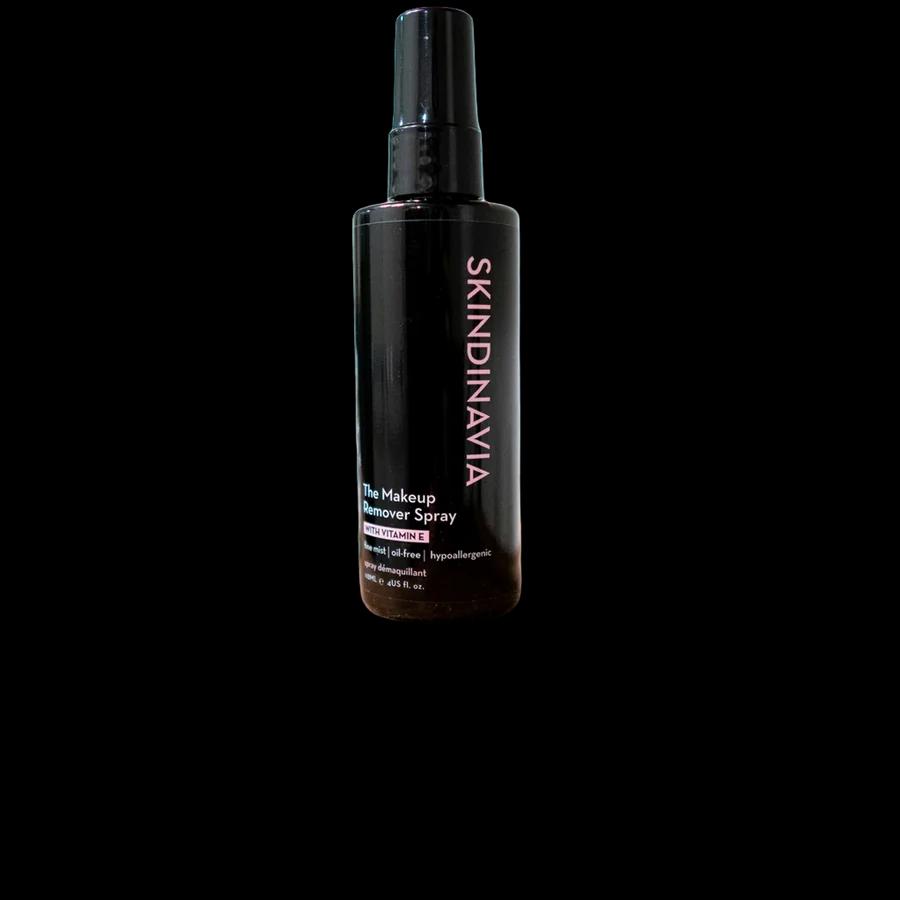
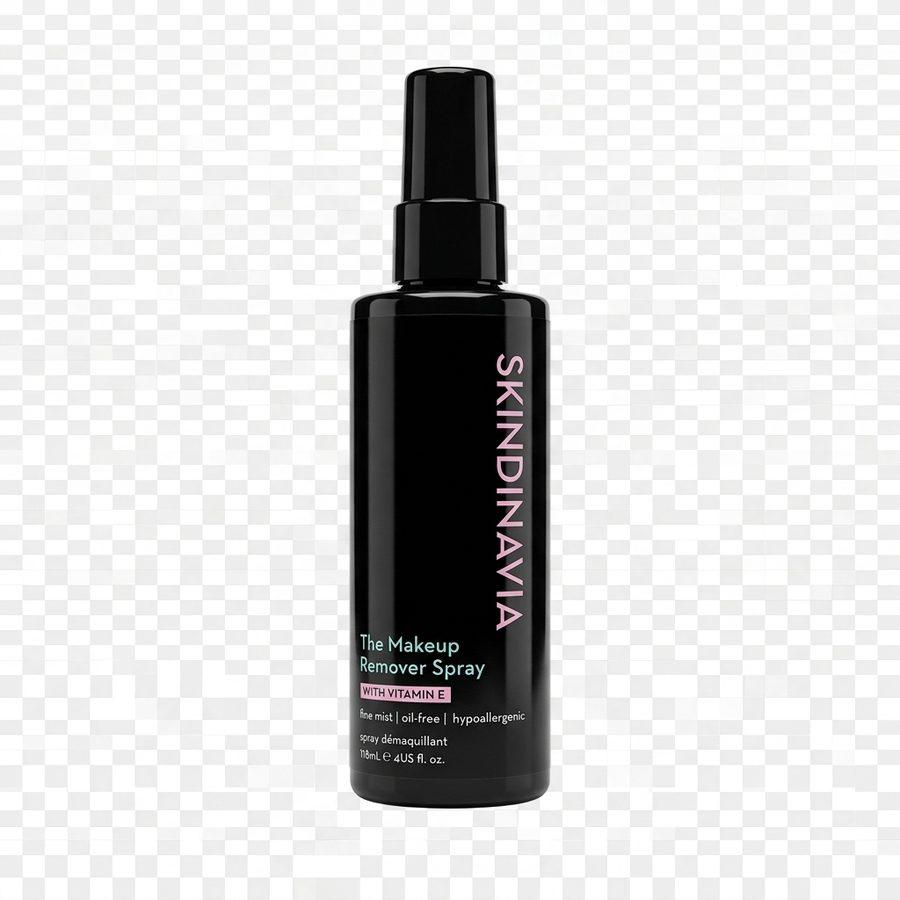
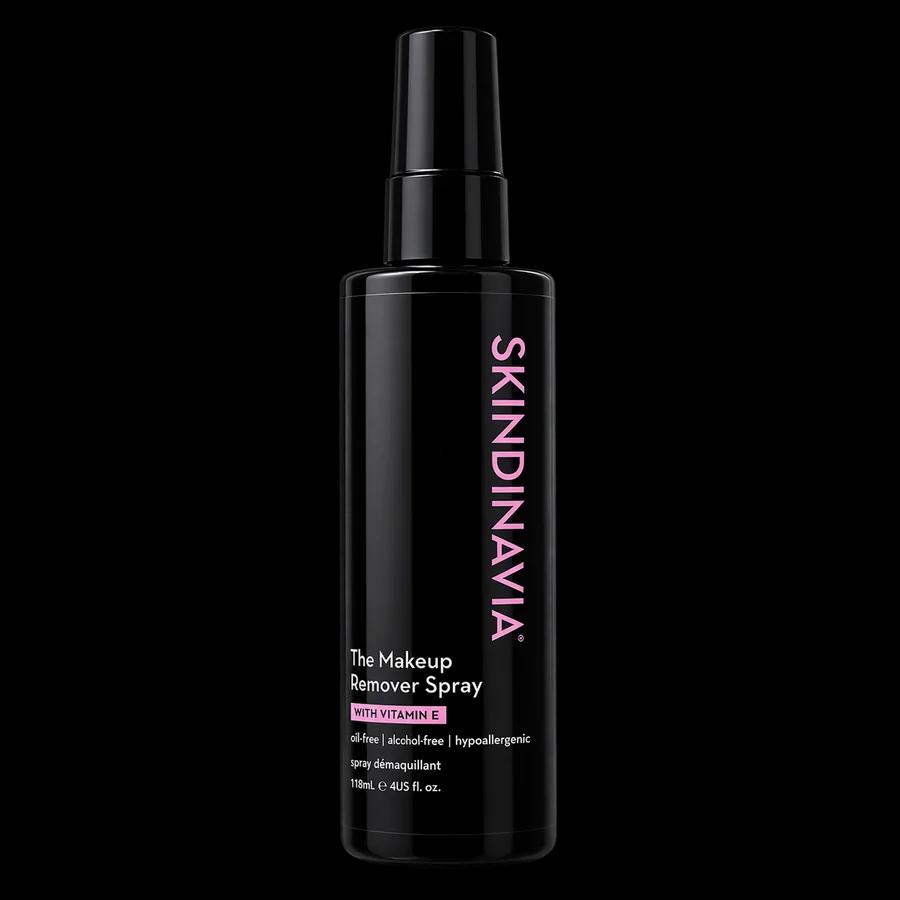
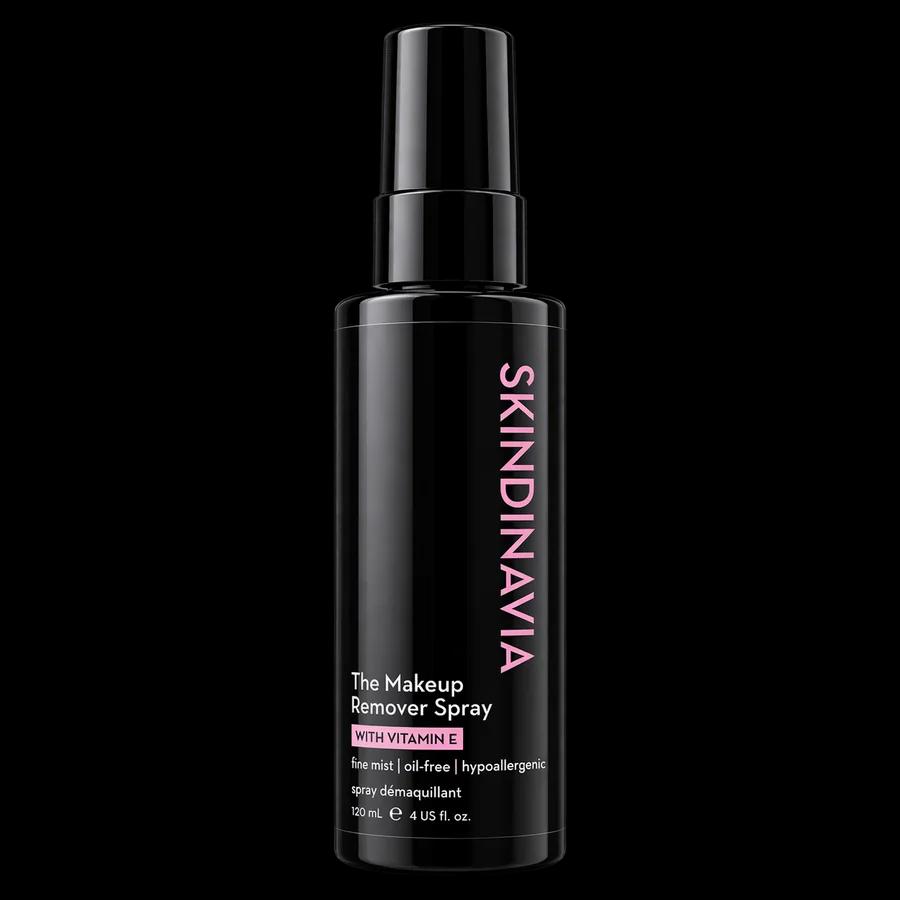
Up close, the GPT labels say something different from the real bottle:
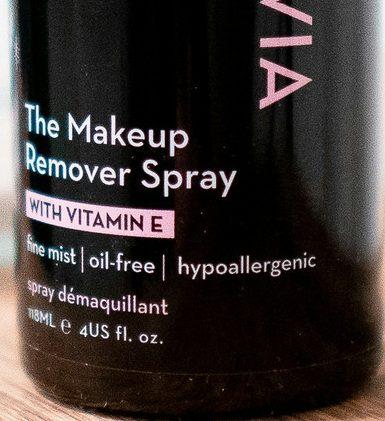
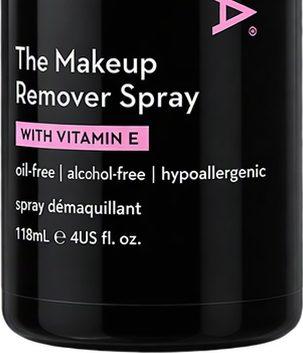
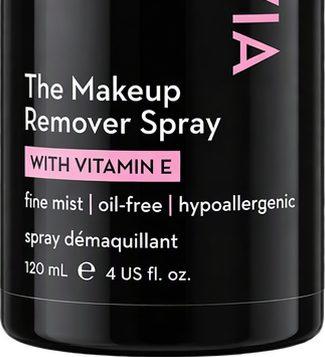
For a product listing, an invented "alcohol-free" claim or a wrong volume isn't a cosmetic issue.
The edits also recompose the shot. In this photo the watch fills about half the frame's width and is seen from a low angle. The GPT version enlarged it to 86% of the width, turned the dial to face the camera, and relit it like a studio shot. It looks polished, but it's a new picture of a watch, not a cutout of your photo:
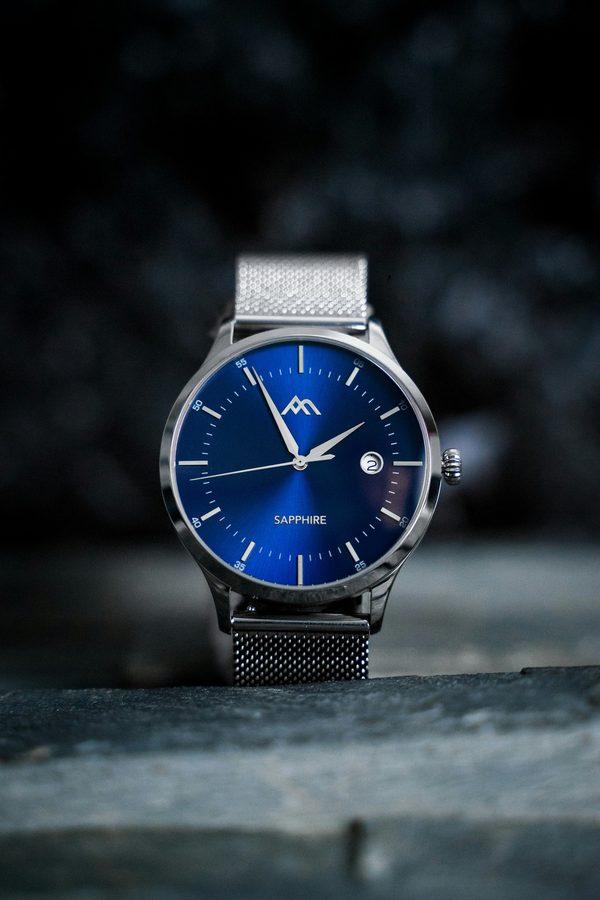
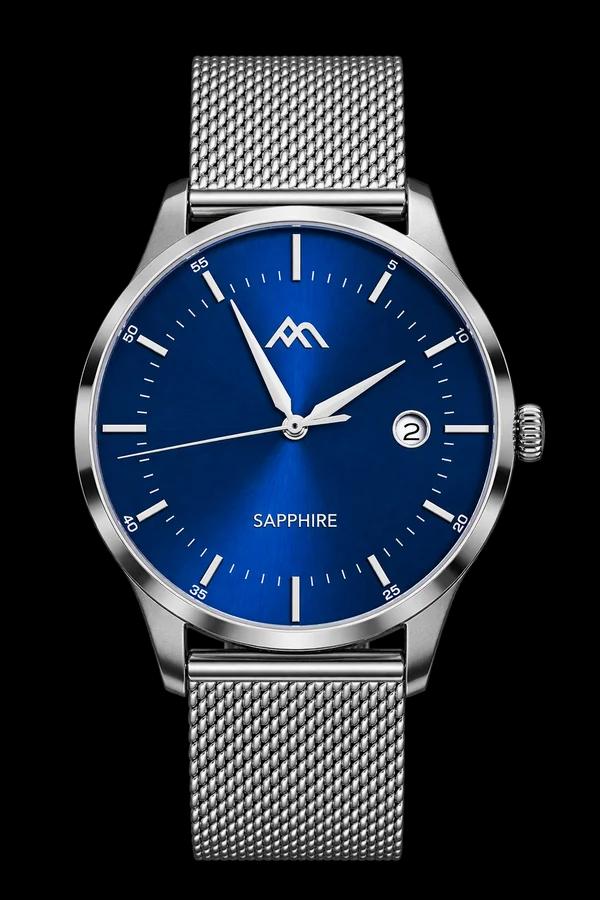
Measured across the set, after lining up each subject, a median of only 44% (flare) and 43% (sunburst) of the GPT subject pixels stayed within 20 levels of the original photo, compared with 100% for Cutout Labs. Some of that difference is relighting rather than changed details, but relighting also changes what the product looks like. We didn't score every image for altered details; the examples above are ones we checked closely.
3. Where Cutout Labs failed, and how the GPT models "fixed" it
Cutout Labs isn't flawless. On these photos it clearly failed:
- Store shelves: on one it kept almost nothing; on another it kept only the bottom shelf.
- A vase held in two hands: it removed the hands and left finger-shaped gaps in the vase.
- Chairs tangled in barbed wire: it kept the chairs and dropped the wire.
- Earbuds next to a white ornament: it kept the ornament along with the earbuds.
The GPT models handled all of these, but by inventing what the photo didn't show:
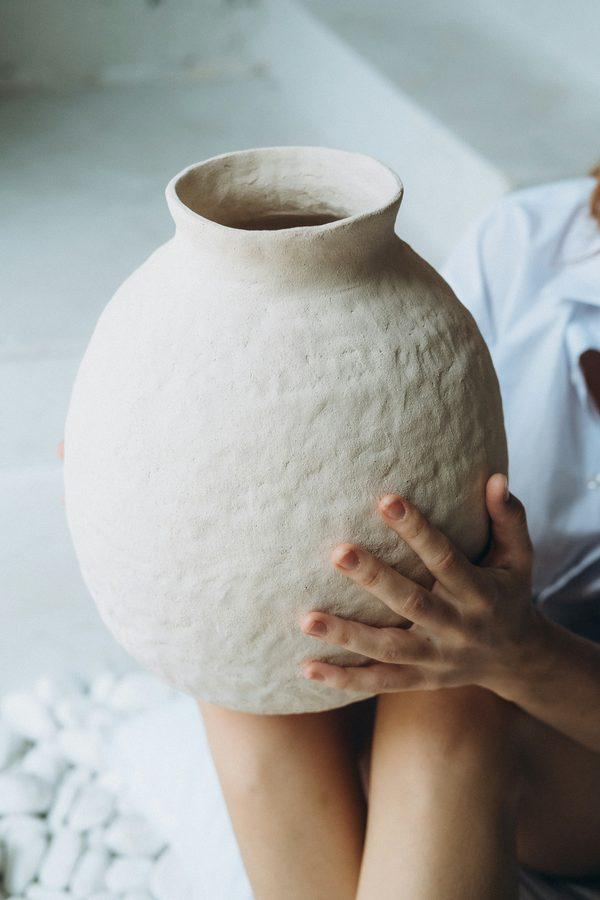
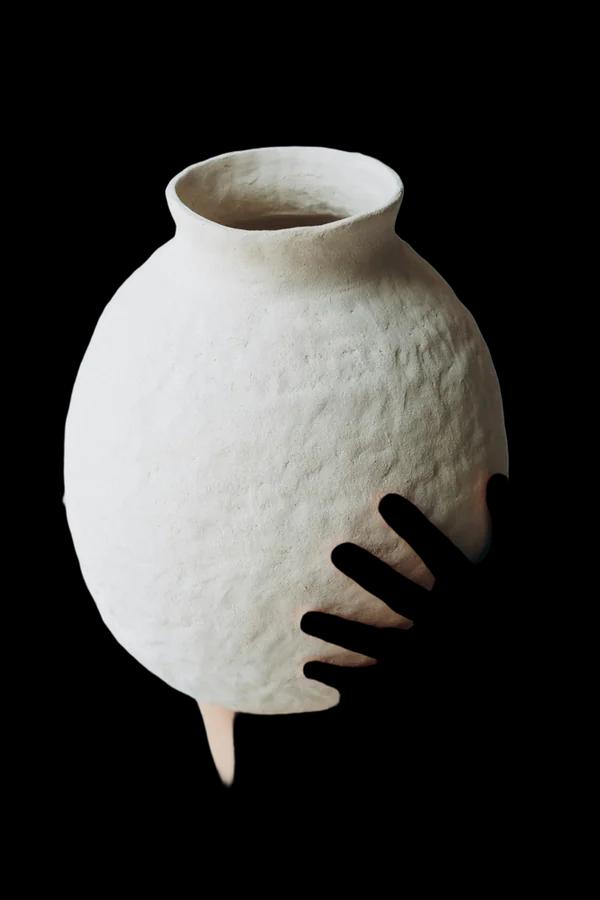
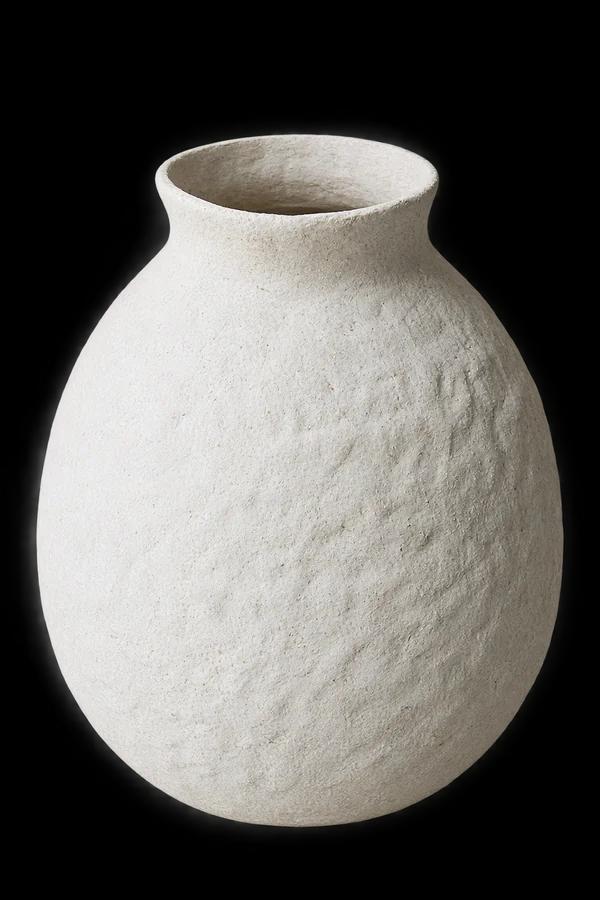

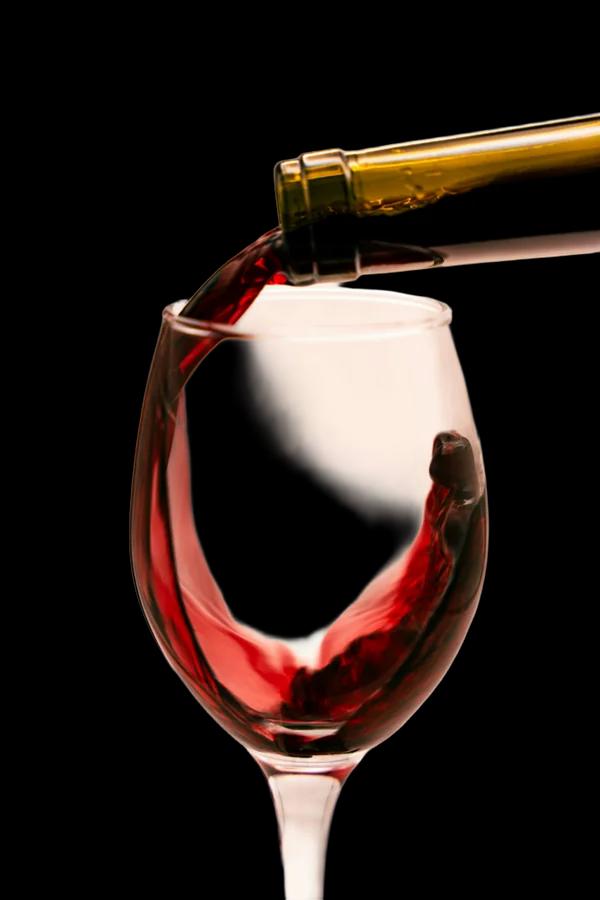
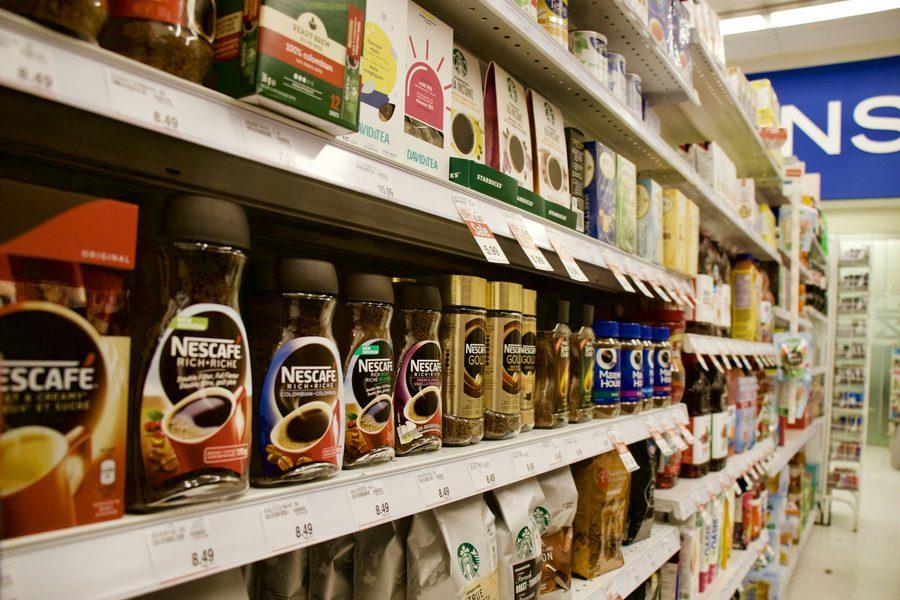
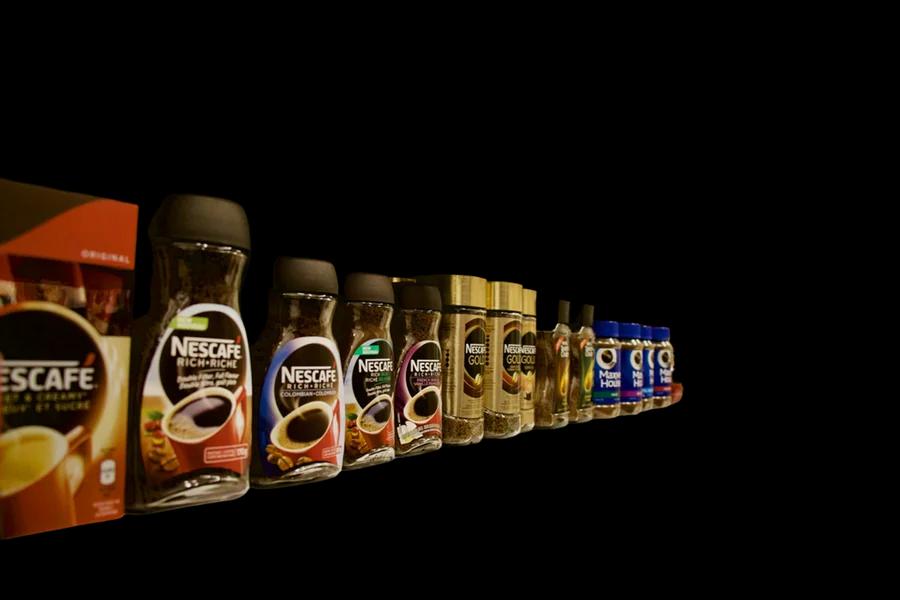
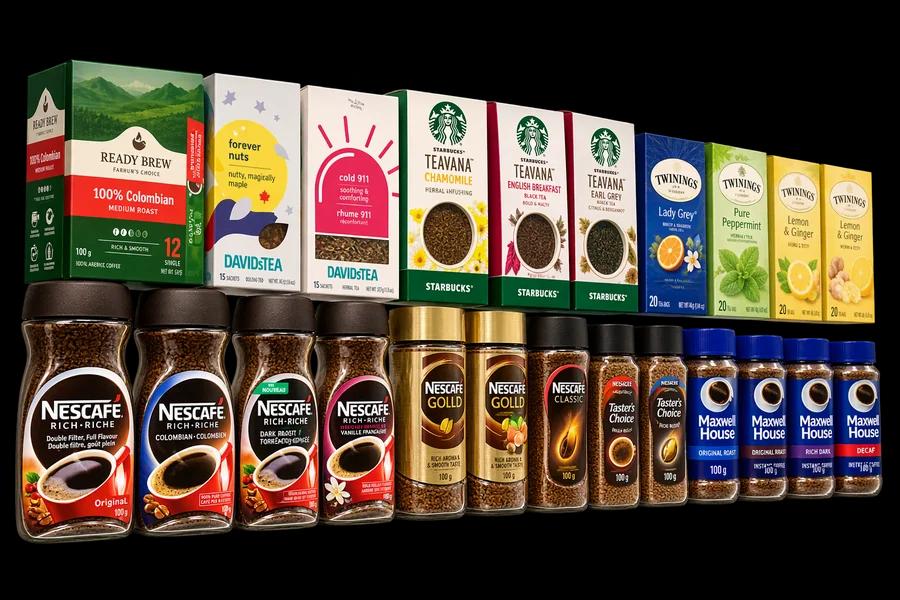
Whether that's a feature depends on the job. For an ad mockup, a completed vase is helpful. For a product listing, the image has to show the item a customer will receive, so invented surfaces and rearranged products are a liability. If Cutout Labs misses part of a subject, paint it back from the original pixels with Restore area in the editor. We cover the hand case in The Ghost Hand Problem and other failure patterns in Where automatic background removal fails.
4. Speed
| Engine | Median | 90th percentile | Fastest | Slowest |
|---|---|---|---|---|
| Cutout Labs | 5.2 s | 6.6 s | 2.8 s | 7.9 s |
| Gemini 2.5 Flash Image | 11.4 s | 15.2 s | 9.8 s | 25.9 s |
| Gemini 3.1 Flash Image | 11.6 s | 13.5 s | 9.1 s | 22.0 s |
| gpt-image-2.5-flare | 30.2 s | 35.5 s | 19.0 s | 43.8 s |
| gpt-image-2.5-sunburst | 37.0 s | 45.3 s | 24.9 s | 52.9 s |
Times are end-to-end, including uploading a 2048-pixel image from one client in India, with each engine run once per photo.
5. Cost
| Tool | Per image | Per 1,000 images | How it's priced |
|---|---|---|---|
| Cutout Labs | Free* | Free* | Web editor (full resolution, no watermark) and API with a daily free quota |
| Gemini 2.5 Flash Image | $0.039 | $39 | $0.039 per output image, plus input tokens |
| Gemini 3.1 Flash Image | $0.068 | $68 | $60 per 1M output image tokens (1,120 per 1K image), plus input tokens |
| gpt-image-2.5-flare | $0.046 | $46 | Azure Global: $5 text input, $8 image input, $30 output per 1M tokens |
| gpt-image-2.5-sunburst | $0.050 | $50 | Same rates; it used slightly more output tokens |
* Free for now. Paid plans will come later.
GPT costs use the exact token counts each response reported. Gemini costs use Google's published per-image token counts and prices, and match what Google billed us for the run. At these rates, cutting out 1,000 product photos with an AI image model costs $39–68, before any retries.
When each tool makes sense
Use Cutout Labs when the output must show the real product: marketplace listings, catalogs, anything with a label, a logo, or a color a customer will rely on. It returns real transparency at full size, keeps the photo's own pixels, and is free for now. Check the hard cases (hands, busy scenes, glass) and fix them in the editor.
Use a generative image model when a believable picture matters more than an exact one: ad concepts, mood boards, or filling in a product that was partly hidden. Check every label, color, and dimension against the real item before it goes anywhere a customer will see it.
The two also combine well: cut the product out with Cutout Labs, then generate a new scene around the untouched cutout. More on the trade-offs in our guide to background removers vs. AI image generators.
How we tested
- Photos: 50 Unsplash photos, selected with written rules and search queries fixed before any engine ran, and scaled to a 2048-pixel long side as JPEG quality 92. Every engine received the same file.
- Cutout Labs: the Cutout Labs API's standard background removal (no processing options), on a separate deployment set up for this test, returning a transparent PNG.
- Gemini: the Gemini API
generateContentmethod with the photo and the prompt, modelsgemini-2.5-flash-imageandgemini-3.1-flash-image, default settings. - GPT: Azure OpenAI
images/editswith the photo, the prompt,background=transparent,output_format=png, andsize=auto. An earlier run sent only the text prompt, without the photo; we discarded it. - Pixel comparison: each output was resized to the input size and compared with the original inside the subject area (where the Cutout Labs mask is opaque). GPT outputs reframe the subject, so both images were first cropped to the subject's bounding box. Relighting counts as change, and downscaled outputs lose some detail when compared, so these figures measure closeness to the photo, not visual quality.
- Limits: one run per engine per photo, so we didn't measure run-to-run variation. Times are from a single client in India. AI model prices change, and these models are updated often; Gemini 2.5 Flash Image is scheduled to be retired in March 2027.
Full results: every photo, every output from all five engines, the measurements, and the scripts are on GitHub in cutout-labs/background-removal-benchmark, including the photos where Cutout Labs failed.
Photo credits (shown on this page, all under the Unsplash License): Skindinavia Cosmetics, Natallia Photo, Alex Azabache, Yana Hurska, Kingsley Tsang, and Charles Gao.